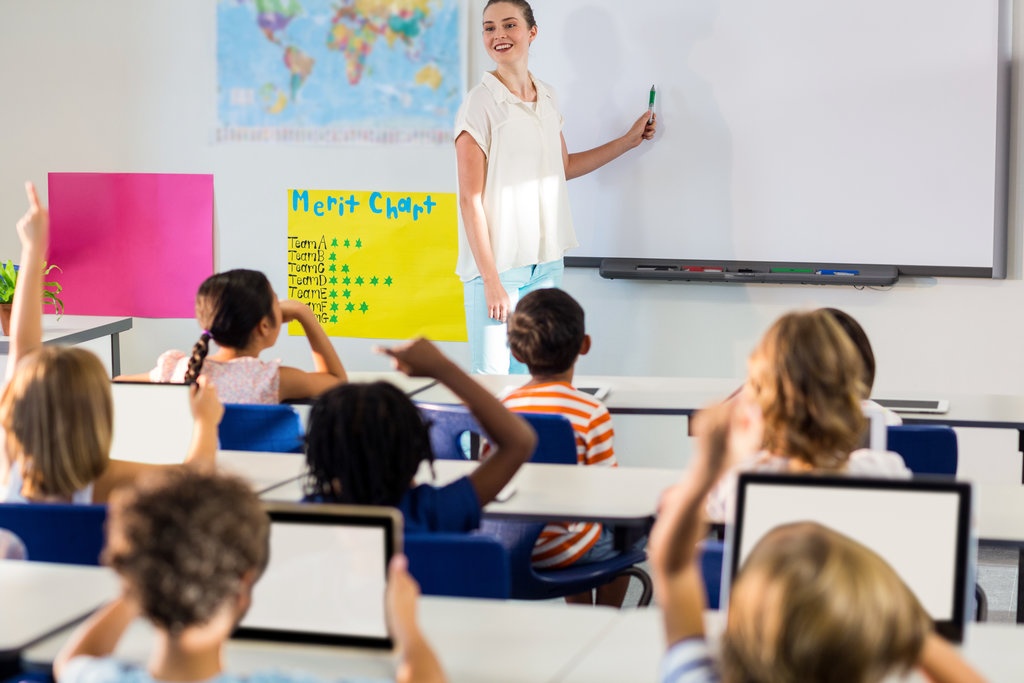

Classroom collaboration helps students share ideas, solve problems, communicate effectively, and learn from different perspectives. When teachers combine collaborative learning activities with appropriate digital resources, students can work together to create projects, discuss challenging concepts, conduct research, and develop solutions to real-world problems.
Digital tools for classroom collaboration make it possible for students to contribute to shared documents, exchange feedback, organize group tasks, and communicate their thinking. These tools can support collaboration during classroom lessons and, when appropriate, extend group work beyond the school day.
However, successful digital collaboration requires more than providing students with devices or access to online platforms. Teachers must establish clear learning objectives, assign meaningful tasks, encourage balanced participation, and evaluate both individual contributions and group outcomes.
This guide explores the most useful types of digital collaboration tools, practical classroom activities, and strategies teachers can use to create productive, inclusive, and engaging learning experiences.
What Are Digital Tools for Classroom Collaboration?
Digital tools for classroom collaboration are applications, platforms, and online resources that allow students to communicate, share information, develop ideas, and complete learning activities together.
Unlike tools used only to present information, collaborative tools give students opportunities to contribute actively to a shared learning process.
Common categories include:
- Collaborative documents: Allow multiple students to write, edit, and comment on the same document.
- Digital whiteboards: Help groups brainstorm, organize ideas, and create visual plans.
- Learning management systems: Provide spaces for discussions, group assignments, resource sharing, and feedback.
- Video conferencing platforms: Support live discussions and collaboration between students in different locations.
- Project management tools: Help students organize tasks, assign responsibilities, and track deadlines.
- Digital presentation tools: Enable groups to combine research, images, data, and explanations into shared presentations.
- Mind-mapping applications: Help students visualize relationships between ideas and organize information.
- Peer-feedback tools: Allow students to review classmates’ work and provide constructive suggestions.
The best choice depends on the learning objective, students’ ages, available devices, accessibility requirements, and school policies.
A simple shared document may be sufficient for a writing assignment, while a digital whiteboard may be more suitable for brainstorming a science investigation.
Why Is Digital Collaboration Important in Education?
Digital collaboration can make group learning more organized and provide students with additional ways to participate. When activities are thoughtfully designed, students can use technology to develop subject knowledge alongside important communication and teamwork skills.
1. It Encourages Active Participation
Traditional group activities sometimes allow one or two students to dominate while others contribute very little. Digital workspaces can make individual contributions easier to see.
For example, students working on a shared presentation can each research a different topic, add their findings, and explain their choices to the group. Teachers can review the completed work and ask individual students to describe their contributions.
This structure can encourage more students to participate meaningfully.
2. It Improves Communication Skills
Collaborative digital activities require students to explain ideas, ask questions, respond to feedback, and reach agreements.
Students can practise writing clear messages, supporting opinions with evidence, and disagreeing respectfully. These communication skills are valuable in academic settings and future workplaces.
3. It Supports Peer Learning
Students often discover misunderstandings when they explain a concept to someone else. Listening to classmates can also expose learners to alternative approaches and interpretations.
For example, during a mathematics activity, students might compare two methods for solving the same problem. By explaining why each method works, they can strengthen their understanding.
4. It Makes Group Work Easier to Organize
Digital tools can help students divide responsibilities, maintain shared notes, track progress, and manage deadlines.
Teachers can establish a central location for instructions, resources, and submissions instead of relying on scattered messages or separate files.
5. It Creates Opportunities for Reflection
Shared documents and digital portfolios can preserve the development of a project. Students can review earlier ideas, examine feedback, and explain how their thinking changed.
This makes collaboration a learning process rather than simply a way to produce a final assignment.
1. Use Collaborative Documents for Group Writing
Collaborative document tools allow students to create and revise written work together. Depending on the platform, learners may be able to edit simultaneously, leave comments, suggest changes, and review previous versions.
These features make shared documents useful for writing assignments, research projects, reading responses, and group reports.
Classroom activity: Collaborative research report
A teacher asks groups of four students to investigate how communities can reduce plastic waste.
Each student receives a specific responsibility:
- Student one researches the causes of plastic pollution.
- Student two identifies environmental effects.
- Student three collects examples of possible solutions.
- Student four organizes the findings and checks the report’s structure.
Students contribute their findings to a shared document, review one another’s work, and agree on a final conclusion.
The teacher can provide a document outline with headings and guiding questions so students know what information to include.
Teaching tip: Require students to explain their individual contributions and identify at least one change they made after receiving feedback. This helps teachers assess both collaboration and individual understanding.
2. Introduce Digital Whiteboards for Brainstorming
Digital whiteboards provide a shared visual space where students can add notes, arrange ideas, draw diagrams, and group related information.
They are particularly useful during the early stages of a project, when students need to generate ideas before deciding how to organize their work.
Classroom activity: Explore a problem together
In a science lesson about environmental protection, students use a shared whiteboard to answer the question, “How can our school reduce waste?”
Students add digital notes containing possible solutions, such as reducing single-use packaging, improving recycling instructions, and reusing classroom materials.
The group then organizes the suggestions into categories and selects the most practical ideas for further investigation.
This activity encourages students to build on one another’s contributions instead of immediately settling on the first suggestion.
Digital whiteboards can also support:
- Mind maps and concept diagrams.
- Story planning and character relationships.
- Mathematical problem-solving.
- Timeline creation.
- Vocabulary classification.
- Group reflection after completing a project.
Teachers should establish simple rules for adding and organizing contributions so the shared workspace remains understandable.
3. Use Learning Management Systems to Coordinate Group Projects
A learning management system can provide a central place for students to access instructions, download resources, discuss questions, submit work, and receive feedback.
For collaborative assignments, teachers can organize materials by group or project stage.
For example, a project area might contain the assignment brief, research resources, a group discussion space, a progress checklist, and the final submission section.
This structure helps students understand what they need to complete and where they should share their work.
Teachers can also use discussion forums to encourage thoughtful responses. Rather than asking students to post short opinions, they might require each student to support a claim with evidence and respond constructively to a classmate’s argument.
To make these spaces effective:
- Publish clear instructions and deadlines.
- Explain where each type of contribution belongs.
- Set expectations for respectful communication.
- Monitor participation and provide guidance.
- Give students time to review feedback.
- Keep essential information organized and easy to find.
A learning management system should simplify collaboration rather than create additional administrative work.
4. Encourage Live Collaboration Through Video Conferencing
Video conferencing tools can support group discussions, presentations, interviews, and collaborative learning between students who are not physically together.
They can be particularly useful for remote learning, joint projects between classes, or discussions with invited subject experts.
Classroom activity: Meet another classroom
Students studying local history could collaborate with a class from another community.
Each class prepares questions about local landmarks, traditions, historical events, or community development. During a live session, students take turns presenting their findings and asking questions.
After the meeting, each group creates a shared summary comparing similarities and differences between the two communities.
Teachers should prepare students before the session by assigning speaking roles, testing equipment, and reviewing appropriate online behavior.
If live participation is not possible for every student, recorded presentations or written follow-up discussions can provide alternative ways to contribute.
Teachers must also follow school rules regarding video meetings, recording, student privacy, and permission to communicate with external participants.
5. Organize Group Tasks With Digital Project Management Tools
Longer assignments often become difficult when students are unsure who is responsible for each task or when individual deadlines are approaching.
Project management tools can help groups organize responsibilities, track completion, and identify tasks that require attention.
For example, students creating a school sustainability campaign might divide the project into research, survey design, data analysis, poster creation, and presentation.
A shared task board can show:
- Tasks that need to be started.
- Tasks currently in progress.
- Completed responsibilities.
- Upcoming deadlines.
- Group members responsible for each activity.
Teachers can introduce a simple checklist or table before using a more advanced platform. Younger students may need a highly visual structure with fewer categories.
The goal is not to teach students to manage complicated software. It is to help them plan their work, meet commitments, and communicate when they need support.
6. Use Digital Presentation Tools for Collaborative Projects
Digital presentation tools allow students to combine written explanations, diagrams, images, charts, and other media into a shared product.
They can support learning across many subjects, including science, literature, geography, history, and mathematics.
Classroom activity: Explain a scientific concept
Groups investigate a renewable energy source, such as solar, wind, or hydropower.
Each group prepares a presentation explaining how the energy source works, its benefits, its limitations, and examples of where it is used.
Students divide research responsibilities, verify information, organize the content, and decide how to communicate the most important findings.
To encourage deeper learning, the teacher can require every student to answer questions after the presentation rather than allowing only the main presenter to participate.
A successful group presentation should demonstrate accurate subject knowledge, clear reasoning, and meaningful contributions from the team.
7. Support Collaborative Research With Shared Mind Maps
Mind-mapping tools help students organize information visually and identify relationships between ideas.
They are especially useful when a task involves multiple causes, effects, themes, or categories.
For example, students studying climate change could create a central topic with branches for causes, environmental effects, economic consequences, and possible responses.
Each student contributes information to a branch, and the group examines how the categories connect.
Teachers can use shared mind maps to help students:
- Plan essays and research reports.
- Organize information before a presentation.
- Compare different explanations of an event.
- Identify relationships between scientific concepts.
- Develop questions for an investigation.
- Summarize a chapter or unit.
Mind maps are most effective when students explain why ideas belong together. Simply collecting unrelated notes does not demonstrate meaningful understanding.
8. Use Peer Feedback Tools to Improve Student Work
Peer feedback gives students opportunities to evaluate one another’s work, identify strengths, and suggest improvements.
Digital comments, shared documents, discussion spaces, and structured review forms can make the process easier to organize.
For example, students writing persuasive essays could exchange drafts and use a teacher-provided checklist to review each other’s arguments.
The checklist might ask:
- Is the main argument clear?
- Does each paragraph support the central claim?
- Are examples or evidence included?
- Is the reasoning explained?
- What is one specific improvement the writer could make?
Students then revise their work using the feedback they receive.
Teachers should model constructive comments before introducing peer review. Students need to understand the difference between helpful feedback and vague criticism.
Comments such as “This is bad” do not help a writer improve. A comment such as “Add a specific example to support your second point” gives the student a clear next step.
Peer feedback should complement teacher guidance, particularly when students are learning a new skill.
9. Make Digital Collaboration Inclusive for All Students
Effective classroom collaboration gives every learner a meaningful opportunity to contribute. Digital tools can support inclusion, but teachers must consider differences in accessibility, language proficiency, confidence, and access to devices.
Useful strategies include:
Offer Multiple Ways to Contribute
Some students communicate more confidently through writing than speaking. Others may prefer explaining ideas verbally, creating diagrams, or recording an explanation.
When appropriate for the learning objective, provide different ways for students to share their thinking.
Use Accessible Resources
Consider captions, readable text, keyboard navigation, screen-reader compatibility, adjustable text sizes, and other accessibility features.
Check whether students can use the selected platform with their assistive technology and agreed learning accommodations.
Assign Clear Roles
Roles such as researcher, note-taker, discussion leader, designer, and presenter can help students understand how to contribute.
Rotate responsibilities across projects so that each student has opportunities to practise different skills.
Provide Language Support
Students who are developing proficiency in the language of instruction may benefit from sentence starters, vocabulary lists, visual examples, and additional preparation time.
For example, a discussion prompt might include phrases such as “I agree because…”, “The evidence suggests…”, or “Another possibility is…”.
Plan for Unequal Device Access
If every student does not have an individual device, groups can share equipment or rotate between activities.
Teachers should also provide suitable alternatives when students cannot reliably access online tools outside school.
Inclusive collaboration means removing unnecessary barriers while maintaining meaningful expectations for learning.
10. Establish Clear Rules for Online Collaboration
Students need guidance on how to communicate, share files, and manage disagreements in digital spaces.
Without clear expectations, online group work can become disorganized or unproductive.
Teachers should establish rules that cover:
- Respectful language and constructive disagreement.
- Appropriate comments and feedback.
- Responsible sharing of documents and images.
- Protection of personal information.
- Proper attribution of research sources.
- Appropriate use of school-approved platforms.
- Expectations for deadlines and participation.
- Procedures for reporting bullying or inappropriate behavior.
Teachers can create a short digital collaboration agreement with students at the beginning of a term or project.
For example, students might agree to respond respectfully, explain their reasoning, credit other people’s ideas, and ask before sharing another student’s work outside the group.
These routines help learners develop digital citizenship alongside collaboration skills.
11. Protect Student Privacy When Choosing Collaboration Tools
Before using a new digital platform, teachers should check whether it meets the school’s privacy, security, and accessibility requirements.
Some applications may collect student information, require personal accounts, or allow content to be shared beyond the classroom.
Teachers should review relevant policies and seek approval where necessary before asking students to register for external services.
Important considerations include:
- What personal information does the platform collect?
- Who can view student work and discussions?
- Can students participate without public profiles?
- How are documents and messages shared?
- Does the school approve the tool for student use?
- Are recording and account settings appropriate for the activity?
- Can students’ work be removed or access restricted when needed?
Teachers should avoid asking students to publish personal details or sensitive information in shared spaces.
Privacy is especially important when collaborating with other schools, outside organizations, or participants who are not part of the regular class.
12. Assess Both Group Outcomes and Individual Contributions
One challenge of collaborative learning is determining what each student has learned. A strong final project does not necessarily mean every group member understands the material equally well.
Teachers should assess the quality of the shared product alongside individual learning and participation.
A balanced assessment might include:
| Assessment area | What the teacher evaluates |
|---|---|
| Subject knowledge | Accuracy and depth of the group’s work |
| Collaboration | How well students communicate and solve problems |
| Individual contribution | Each student’s assigned tasks and work |
| Critical thinking | Use of evidence, reasoning, and evaluation |
| Communication | Clarity of explanations and presentations |
| Reflection | Students’ ability to explain what they learned |
Teachers can collect evidence through individual exit tickets, brief oral questions, reflection forms, version histories where available, and peer assessments.
For example, after completing a group science investigation, every student could independently explain the main finding and describe how the evidence supports it.
This helps ensure that collaboration supports individual learning rather than allowing students to rely entirely on their classmates.
13. Overcome Common Challenges in Digital Classroom Collaboration
Even useful digital tools can create difficulties if teachers introduce them without clear routines or adequate preparation.
Unequal Participation
Some students may complete most of the work while others contribute very little.
Solution: Assign responsibilities, set individual checkpoints, rotate roles, and assess personal understanding alongside the group product.
Technical Problems
Internet interruptions, incompatible devices, or forgotten passwords can delay an activity.
Solution: Test tools beforehand, provide clear access instructions, and prepare an offline or paper-based alternative for essential tasks.
Off-Task Behavior
Students may use collaborative platforms for unrelated conversations or activities.
Solution: Establish clear goals, divide projects into manageable stages, and monitor participation during the lesson.
Conflicts Within Groups
Students may disagree about ideas, responsibilities, or the quality of each other’s work.
Solution: Teach respectful disagreement, provide a clear decision-making process, and intervene when a conflict prevents meaningful learning.
Too Many Digital Tools
Using different platforms for every activity can confuse students and increase teacher workload.
Solution: Choose a small set of approved tools and use consistent routines. Introduce new platforms only when they provide a clear benefit.
Superficial Collaboration
Students may divide a task into separate pieces without discussing or combining their ideas meaningfully.
Solution: Include tasks that require students to compare evidence, explain decisions, review one another’s work, and produce a shared conclusion.
The goal is not simply to make students work online. It is to help them learn together.
14. A Step-by-Step Plan for Introducing Digital Collaboration
Teachers can introduce digital collaboration gradually without changing their entire teaching approach.
Step 1: Choose a clear learning objective. Decide what students should understand or be able to demonstrate.
Step 2: Select an appropriate tool. Choose a platform that supports the task and is approved for classroom use.
Step 3: Design a meaningful group activity. Give students a problem, question, or product that requires genuine cooperation.
Step 4: Assign roles and responsibilities. Make sure every student has a clear contribution.
Step 5: Model the process. Demonstrate how to share work, provide feedback, and communicate appropriately.
Step 6: Monitor participation. Check whether students are contributing, understanding the task, and working toward the learning objective.
Step 7: Evaluate learning. Assess the group result and ask students to demonstrate their individual understanding.
Step 8: Reflect and improve. Identify what worked well, which barriers appeared, and what should change for the next activity.
For example, a teacher could begin with a shared document for a short group writing task. Once students understand the expectations, the teacher might introduce a digital whiteboard for brainstorming or a project board for a longer assignment.
Gradual implementation allows students to develop collaboration habits while teachers learn which tools are most useful for their classroom.
Frequently Asked Questions
What are the best digital tools for classroom collaboration?
Useful categories include shared documents, digital whiteboards, learning management systems, video conferencing platforms, project management boards, mind-mapping applications, and peer-feedback tools. The best choice depends on the learning objective, student age, accessibility needs, school policies, and available technology.
How do digital tools improve classroom collaboration?
Digital tools can help students share resources, develop ideas together, communicate, review work, and coordinate responsibilities. They can also preserve project progress and make individual contributions easier to review. Their effectiveness depends on how teachers structure and guide the activity.
How can teachers encourage all students to participate in digital group work?
Teachers can assign clear roles, establish individual responsibilities, monitor contributions, and include individual reflection or assessment. Providing multiple ways to contribute can also help students with different communication preferences or accessibility needs participate more effectively.
Are digital collaboration tools suitable for younger students?
Yes, when the tools are age-appropriate, accessible, and approved by the school. Younger students may benefit from simple interfaces, visual instructions, short activities, teacher supervision, and clear rules for sharing and communicating online.
How can teachers assess students during collaborative projects?
Teachers can evaluate the group product, individual contributions, quality of reasoning, communication, and personal understanding. Short quizzes, reflection forms, presentations, peer feedback, and teacher observations can provide additional evidence of learning.
What are the disadvantages of digital classroom collaboration?
Potential challenges include unequal participation, technical interruptions, online distractions, privacy concerns, accessibility barriers, and increased teacher workload. Clear expectations, appropriate tool selection, structured tasks, and alternative learning methods can help reduce these problems.
Can classroom collaboration tools be used without reliable internet access?
Some collaborative activities require live internet access, but teachers can also use shared offline documents, locally stored resources, rotating device stations, or paper-based alternatives. The activity should be designed around the technology students can reliably access.
How do digital tools support project-based learning?
Digital tools can help students plan projects, research information, organize evidence, share drafts, manage responsibilities, and present findings. Teachers can use shared workspaces and progress checklists to support each stage of a project while monitoring individual learning.
Conclusion
Digital tools for classroom collaboration can help teachers create learning experiences in which students share ideas, solve problems, develop projects, and learn from one another. Shared documents, digital whiteboards, learning management systems, presentation platforms, and peer-feedback tools each offer different ways to support these activities.
However, effective collaboration depends on more than the technology itself. Students need clear learning objectives, well-designed tasks, defined responsibilities, respectful communication, and opportunities to reflect on their progress.
Teachers should also consider accessibility, privacy, device availability, and individual accountability when planning digital activities. By monitoring participation and assessing both group outcomes and individual understanding, educators can ensure that technology supports meaningful learning.
Start with one manageable activity, choose a tool that serves a clear purpose, and refine the approach using classroom evidence. With thoughtful planning, digital collaboration can help students strengthen subject knowledge, communication, teamwork, critical thinking, and responsible digital citizenship.